Start With the Real Goal
A competitive esports setup does not need every flagship part. It needs steady frame rates, low input delay, clean cooling & hardware that matches the games you play. Valorant, Counter-Strike 2, Fortnite, Apex Legends & League of Legends all reward consistency more than luxury parts, so the budget should start with performance needs, not looks.
Entry-Level Competitive Setup
A practical 1080p esports desktop usually costs about $900 to $1,200 before premium accessories. This budget can cover a modern six-core processor, 16GB of RAM, a fast NVMe SSD, a capable graphics card & a 144Hz or 165Hz monitor. It is suitable for players who want smooth ranked play without paying for features they may not use. A basic keyboard, mouse, headset as well as mouse pad can add another $150 to $300. Visit our website today and discover the best computer shop in Melbourne for all your tech needs.
Mid-Range Setup for Serious Players
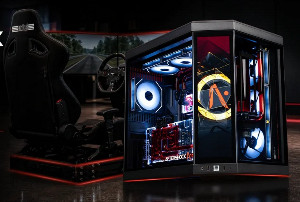
Players targeting 240Hz should expect a higher spend, often between $1,500 & $2,200. At this level, the processor & graphics card matter more because small frame drops can affect aim, tracking & reaction timing. A custom PC build in this range usually includes 32GB of RAM, better airflow, a stronger power supply as well as a monitor built for fast response. This is the sweet spot for many competitive players.
Premium Setup and Streaming Needs
A high-end esports rig can reach $2,800 or more, especially when 1440p gaming, streaming, recording & editing are part of the plan. The extra cost comes from stronger graphics, faster CPUs, larger SSD storage, better cooling as well as studio-quality microphones or webcams. These upgrades help creators as much as players.
Gaming Laptops Versus Desktops
Gaming laptops now offer strong displays, compact power & high refresh rates, but they cost more for the same performance. A good esports laptop may sit around $1,200 to $2,500. The trade-off is portability against heat, fan noise, battery limits & fewer upgrades. For students or traveling players, that trade-off can still make sense.
Smart Spending Comes First
The best esports setup is the one that stays fast under pressure. Build around the monitor, CPU, GPU, cooling & internet stability first. Also plan for a stable desk, correct chair height, cable control as well as a wired connection to reduce avoidable distractions during practice. A custom PC build gives more upgrade room, but a laptop wins when mobility matters most.
Author Resource:
Jack Williams writes about latest PC, gaming laptops, workstations and desktop service stores. You can find more thoughts at favorite pc games blog.